Understand Anything vs CodeGraph — Which Code Understanding Tool Does Your Claude Code Workflow Need?
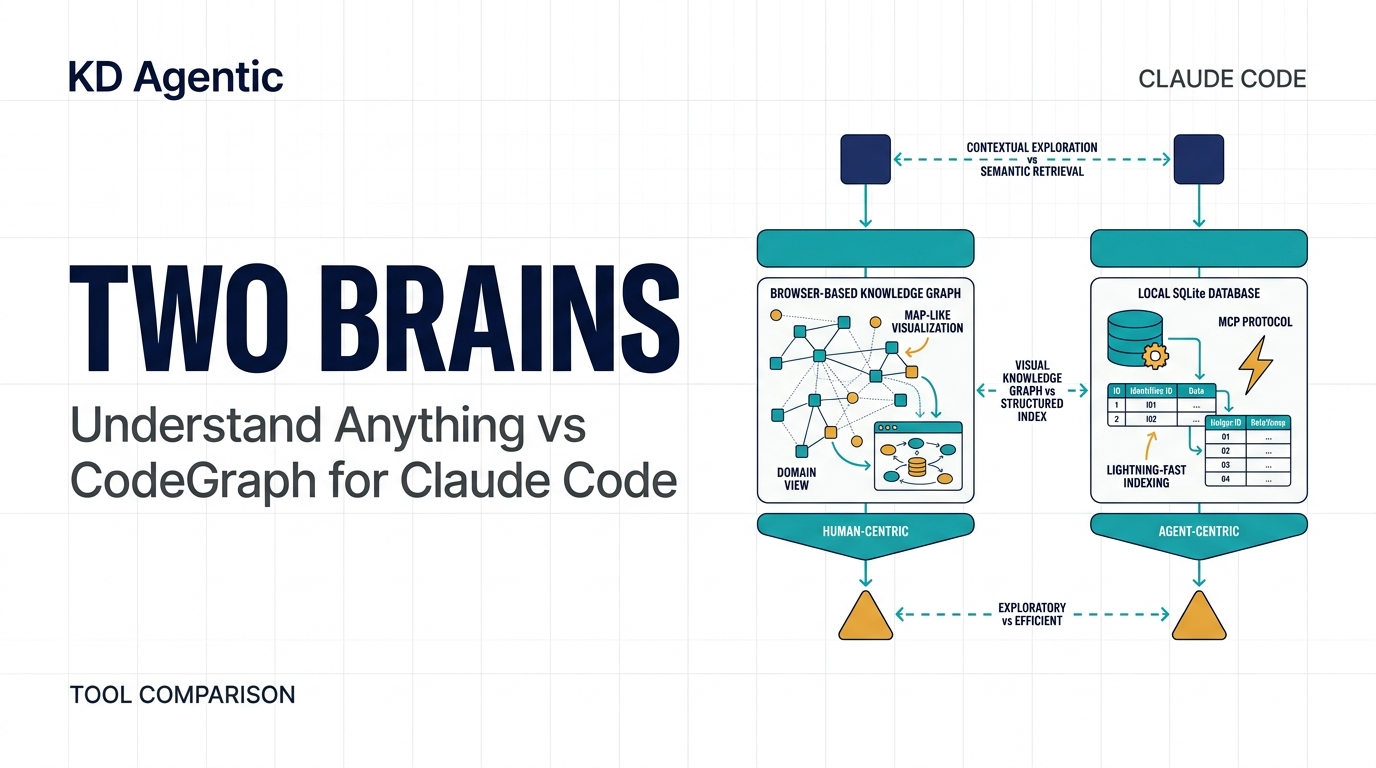
Understand Anything vs CodeGraph — Which Code Understanding Tool Does Your Claude Code Workflow Need?
Table of Contents
- The problem: Claude Code doesn't know your codebase
- Understand Anything: a map for humans
- CodeGraph: an index for agents
- Head-to-head comparison
- 5 real-world Claude Code scenarios
- Installation guide
- What's next
1. The problem: Claude Code doesn't know your codebase
I ran into this last week in a 300,000-line project. I asked Claude Code to add a feature. It grep'd three times, glob'd twice, read six files, and then admitted it couldn't find where the error handling logic lived.
The issue isn't Claude's intelligence. It's structural: Claude Code has no map of your codebase. Every grep and Read call is a blind probe. By the time it builds enough context to work, 47% of the session's tokens have been spent on discovery.
Two tools address this from opposite directions. Here's how to pick.
2. Understand Anything: a map for humans
Understand Anything deploys 5 to 7 parallel agents to analyze your codebase — structure, call graphs, even business domain concepts — then renders an interactive browser dashboard.
Run /understand in Claude Code:
/understand
# Wait a few minutes. A browser dashboard opens automatically.
What you get:
- Architecture graph: Clickable, draggable nodes showing module dependencies
- Domain view (
/understand-domain): Code mapped to business flows — PMs and QA can read it - Learning path: Auto-generated "what to read first" guide for newcomers
- Diff analysis (
/understand-diff): Visual impact report of your changes - Knowledge base mode (
/understand-knowledge): Analyze personal wikis like Karpathy's
When to use it: onboarding, architecture reviews, explaining systems to non-technical teammates.
What it costs: LLM API credits per analysis. No file watcher — re-run manually after changes.
3. CodeGraph: an index for agents
CodeGraph takes the opposite approach. It doesn't care about human readability. It parses source with tree-sitter, extracts every symbol (functions, classes, methods, interfaces), and stores relationships in a local SQLite database with FTS5 full-text search.
Claude Code queries it through MCP tools. No dashboard. No visualization. Just faster answers.
Available MCP tools
# Primary tool — answers most questions in one call
codegraph_explore "where is the auth middleware?"

# Find symbols by name
codegraph_search "UserService"

# Trace call chains
codegraph_callers authenticateUser
codegraph_callees authenticateUser

# Impact analysis
codegraph_impact UserService
codegraph_affected src/auth/*

# Get full definition
codegraph_node authenticateUser

# Check index health
codegraph_status
Key capabilities Understand Anything lacks
CI integration. codegraph_affected identifies test files that depend on changed source files:
AFFECTED=$(git diff --name-only HEAD | codegraph affected --stdin --quiet)
if [ -n "$AFFECTED" ]; then
  npx vitest run $AFFECTED
fi
Cross-language bridging. In React Native projects, CodeGraph traces Swift ↔ ObjC ↔ JS ↔ Native Module call chains. Grep can't follow these because the bindings resolve at runtime.
Zero-config. codegraph init -i once. Language detection, directory exclusions, and file watching with native OS events are all automatic.
Benchmarked savings: 58% fewer tool calls, 47% fewer tokens, ~16% lower cost per session.
4. Head-to-head comparison
| Understand Anything | CodeGraph | |
|---|---|---|
| Audience | Humans | AI agents |
| Interface | Browser dashboard | MCP tools |
| Requires internet | Yes (LLM API) | No (local SQLite) |
| Claude auto-detects | No | Yes |
| File watcher | No | Yes (native OS events) |
| Cross-language | No | Yes (iOS/RN/Expo) |
| Framework routes | No | Yes (14 frameworks) |
| CI integration | No | Yes (codegraph_affected) |
| Business domain view | Yes | No |
| Learning paths | Yes | No |
| Knowledge base analysis | Yes | No |
5. 5 real-world Claude Code scenarios
Scenario 1: Onboarding to a 200K-line codebase
Use Understand Anything. Run /understand, explore the dashboard for 15 minutes, and walk away with a mental model of the architecture. Then install CodeGraph for daily work.
Scenario 2: Every bug fix requires 10+ file reads
Use CodeGraph. One codegraph_explore call replaces the grep-read-grep-read loop. You'll notice the speed difference immediately.
Scenario 3: Refactoring a core module
CodeGraph for precision — codegraph_impact traces dynamic dispatch paths (callbacks, interface → implementation) that grep misses. Understand Anything for presentation — /understand-diff generates a visual report for PR reviews.
Scenario 4: Non-technical teammates need system understanding
Understand Anything. The domain view maps code to business flows. CodeGraph's machine-formatted output is useless here.
Scenario 5: Debugging a React Native native module
CodeGraph. Only it traces RCT_EXPORT_METHOD → Swift/ObjC → JS event channels across language boundaries.
6. Installation guide
CodeGraph (install once, runs forever)
# Windows (PowerShell)
irm https://raw.githubusercontent.com/colbymchenry/codegraph/main/install.ps1 | iex

# Mac / Linux
curl -fsSL https://raw.githubusercontent.com/colbymchenry/codegraph/main/install.sh | sh

# Wire into Claude Code
codegraph install

# Index your project
cd your-project
codegraph init -i

# Restart Claude Code — it auto-detects the MCP server
Understand Anything (install, run when needed)
Install from the Claude Code plugin marketplace, then:
/understand
# Dashboard opens in browser in ~2-3 minutes
Verify both are working
# Check CodeGraph index
codegraph status

# Test an MCP tool from Claude Code
# Just ask Claude: "use codegraph_explore to describe the project structure"

# Run Understand Anything analysis
/understand
7. What's next
My recommendation is simple: install CodeGraph on every project. It's set-and-forget infrastructure that pays for itself in token savings. Keep Understand Anything bookmarked for architecture reviews, onboarding, and any time you need to explain a system to another human.
The two tools don't compete. CodeGraph fixes "agents shouldn't waste tokens on blind searches." Understand Anything fixes "humans need to see the big picture." In a Claude Code workflow, you need both.
Next steps:
- Install CodeGraph with the commands above
- Run
/understandon your current project to see what you're missing - Wire
codegraph affectedinto your CI pipeline for faster test runs - Subscribe to the KD Agentic publication for more Claude Code tooling guides
I'm Keith, an AI systems architect in Tokyo. I test developer tools so you don't have to.